Share on
Change Log

Shaunak Turaga
July 10, 2026

📢 Your contracts, ready to work for you.
This release is about putting your contract data to work: connect AI agents like Claude directly to your repository, hand recurring legal work to intake agents purpose-built for review, drafting, and questions, and redline contracts end to end without ever leaving AI Chat.
🔌 Docsum MCP: Ask Claude About Your Contracts
Point any MCP-compatible AI agent at your Docsum repository and start asking questions.
Your contract data now speaks MCP. Connect Claude (or any other MCP-compatible agent) to Docsum, and it can search, filter, and analyze your repository on your behalf, no exporting data or building a custom integration required.
Once connected, you can ask things like:
"Find all vendor agreements with an auto-renewal clause expiring in the next 90 days."
"What views do I have set up, and how many documents are in each?"
"Break down our active contracts by counterparty and contract type."
"Pull every field value we've extracted for termination notice periods across our SaaS agreements."
This works because Docsum MCP exposes your existing views, saved filters, and extracted fields as tools an agent can call directly:
Semantic search. Ask in plain language and get back the contracts that actually match, not just keyword hits.
View and filter access. Agents can read your saved views and the documents in them, so you don't have to re-describe your organization scheme every time you ask a question.
Field-level queries. Ask for specific extracted values (termination clauses, caps, renewal dates) across many documents at once, and aggregate them into summaries.
We're just getting started here, so expect more repository tools and agent capabilities in upcoming releases.
📚 Repository: Keep Your Contract Data Organized and Accurate
A cleaner repository makes every answer above more reliable.
Document Group Merging
Document groups now merge intelligently so related contracts stay together as your repository grows. Merges happen automatically when you add a document relationship, and a new remediation UI lets you review and merge groups yourself when you want direct control.
Field Extractor Feedback
You can now flag and correct extracted field values directly. When Docsum gets something wrong, you fix it in place, and that feedback helps improve extraction quality over time.
🤖 Legal Intake Agents: Purpose-Built for Contract Work
Route incoming legal work to an agent that knows what to do with it.
Legal Intake agents now come in three standard task types, each tuned for a specific kind of work and grounded in your repository's extracted terms, counterparties, and contract families. Submit a request through your intake channel and the right agent handles it end to end.
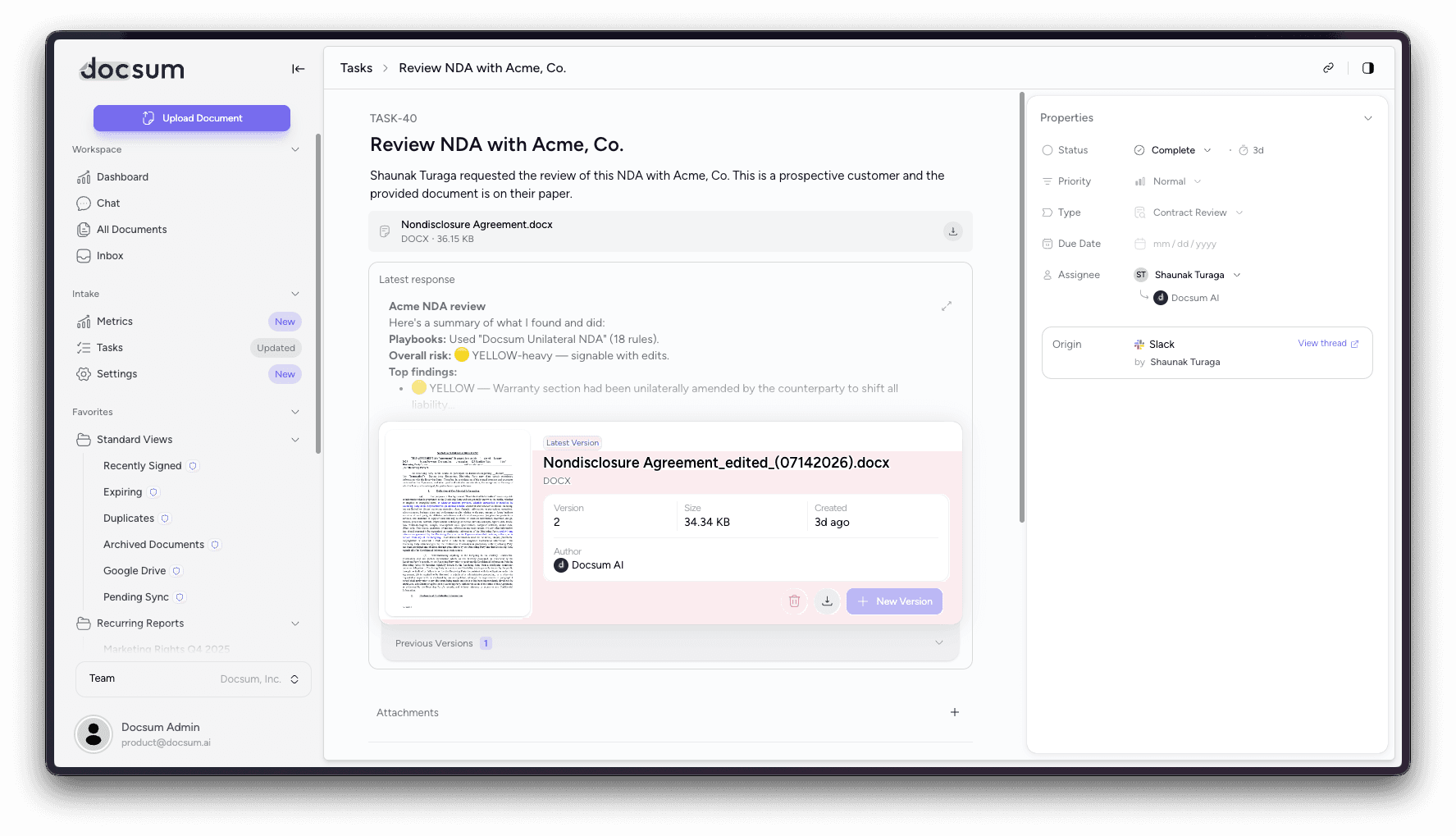
Contract Review. Drop in an inbound agreement and get back a structured risk analysis: non-standard terms flagged, positions compared against your precedent, and, where relevant, a redlined version. For example, check whether a proposed liability cap is below market versus your last several enterprise MSAs.
Contract Drafting. Ask for a new agreement built from precedent, on your template, and the agent pulls the effective terms (base contract plus amendments) and flags anything that deviates from your playbook. For example, draft an SOW consistent with an existing MSA.
Question. Ask what your organization has done before and get a cited answer synthesized across your whole repository. For example, "What do we typically agree to for limitation of liability?" or "Which agreements allow assignment without consent?"
Each task lives in its own thread, so you can follow up, refine, and build new document versions without losing context. Review and drafting outputs can be held for legal review before they go anywhere, and the agent's output can be promoted directly into the task's next document version.
📊 Intake Metrics Dashboard: See Your Intake Pipeline at a Glance
Know how your intake process is performing, without digging through individual tasks.
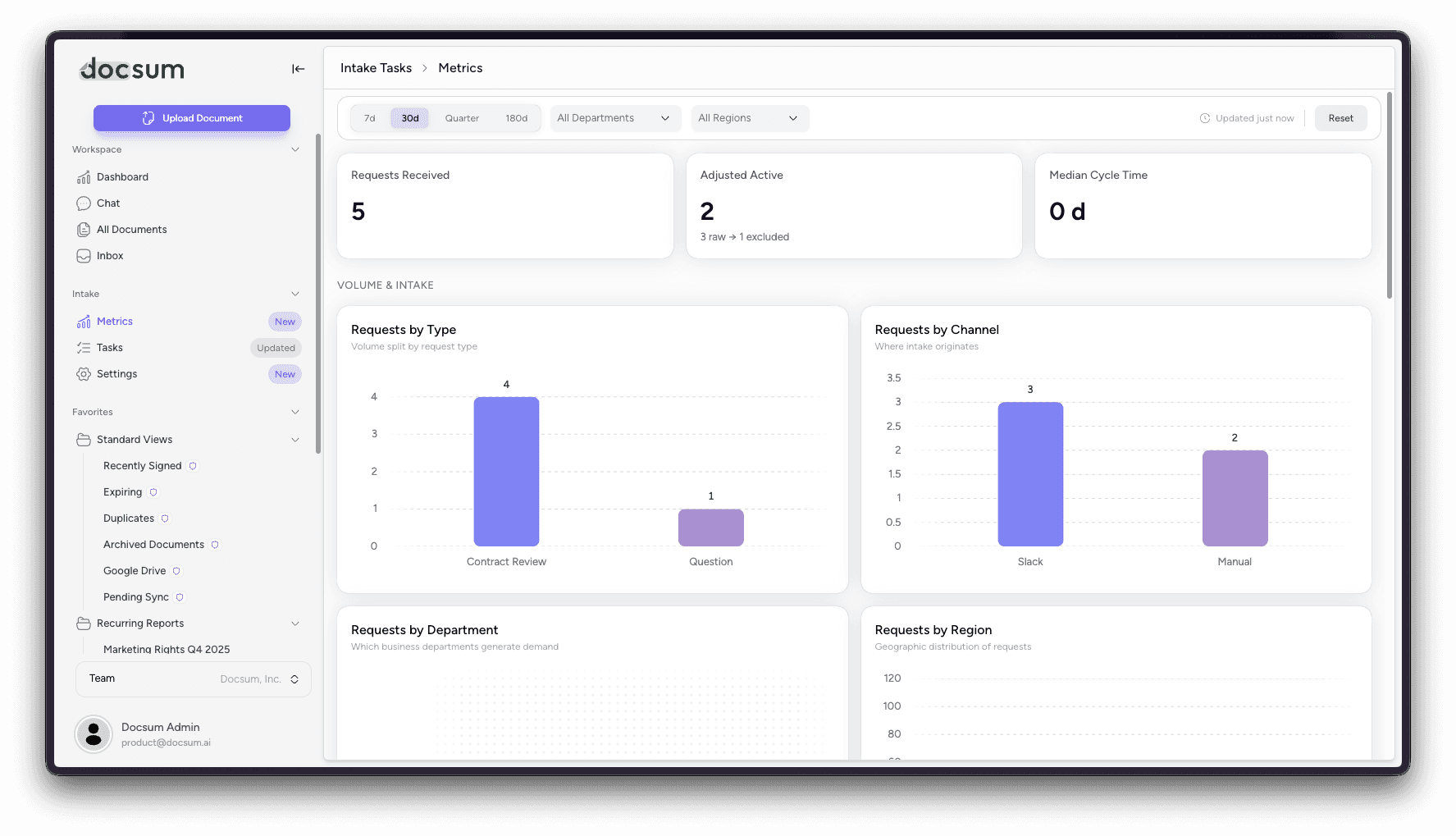
Understanding how contracts move through intake shouldn't require piecing it together manually. The new Intake Metrics Dashboard gives your team a single view into intake volume, throughput, and performance, so you can spot bottlenecks and track progress over time.
📝 Enhanced Redlining: From Reading Redlines to Producing Them
Redline a contract end to end in AI Chat, with tracked changes you can trust.
Since our last update, redlining in Docsum has gone from parsing marked-up documents to actively producing them. Hand AI Chat a contract, tell it which positions or playbook to apply, and get back a proper tracked-changes DOCX with anchored comments, ready to send.
Two ways to redline. Apply your positions to a clean draft, or upload the counterparty's returned markup and have the agent review their changes (accept, reject, or revise) from the perspective of the party you represent.
Apply a playbook or ad hoc rules. Drive the redline with a stored playbook or describe the positions you want on the fly.
Iterate across turns. Follow-ups like "also add a 30-day notice" or "undo the privacy changes" layer new tracked changes on top of prior ones or revert to an earlier version, with full version history rather than starting over.
Cleaner, more trustworthy markup. Tracked changes are authored under a friendly name (like "Docsum AI") instead of a system default, deletions read as coherent blocks rather than word-by-word noise, and only genuinely changed text is marked, so no more spurious quotes, phantom edits, or special-character corruption.
Automated in Legal Intake, too. The same redline engine powers Legal Intake agents, so Contract Review and Drafting tasks can generate redlines automatically as part of intake.
🚀 Why This Matters
Whether it's asking Claude a question about your portfolio, routing an inbound contract to an intake agent that knows how to review it, tracking how your intake pipeline performs, or redlining a deal without switching tools, this release is about closing the gap between your contracts and the work they generate. Less time hunting, drafting from scratch, and cleaning up markup, more time deciding.